

Перенос eSIM-карты теперь не так сложен, как раньше. Благодаря развитию технологии eSIM вы можете сменить устройство или мобильный номер за считанные минуты, без необходимости использования физической SIM-карты и сложных традиционных процедур.
С помощью сервиса Jupiter eSIM вы можете легко и быстро перенести свою eSIM-карту и наслаждаться бесперебойной связью, где бы вы ни находились, путешествуете ли вы или обновляете свой смартфон.
Как перенести eSIM-карту в новый телефон
При смене смартфона вы можете легко перенесите свою eSIM Перенести SIM-карту на новое устройство можно без использования физической SIM-карты. Однако процесс может отличаться в зависимости от вашего оператора связи и типа устройства.
📱 Проверьте, поддерживает ли ваш новый телефон eSIM.
Перед началом процесса переноса убедитесь, что ваше новое устройство поддерживает технологию eSIM.
🔄 Извлеките eSIM из старого устройства
В некоторых случаях может потребоваться удалить или деактивировать eSIM из старого телефона через... Клеточный настройки перед добавлением его на новое устройство.
📩 Запросите данные для активации еще раз
Для активации eSIM на вашем новом телефоне вам может потребоваться новый QR-код или обновленные данные SM-DP+ и кода активации от вашего оператора связи.
➕ Вставьте eSIM в новый телефон
Перейдите в настройки нового телефона, выберите Добавить eSIM или Добавить тарифный план сотовой связи, Затем отсканируйте QR-код или введите данные для активации вручную.
⏳ Дождитесь завершения активации
После ввода информации подождите несколько минут, пока профиль eSIM будет загружен и активирован.
🌐 Убедитесь, что сервис работает.
После завершения активации убедитесь, что ваша сеть работает нормально и что вы можете совершать звонки и выходить в интернет.
Некоторые операторы позволяют осуществлять прямую передачу eSIM без перевыпуска нового профиля, в то время как другие требуют повторной активации.
Перенесите свою eSIM прямо сейчас с Jupiter eSIM и наслаждайтесь более быстрым и удобным способом оставаться на связи в любой точке мира без неудобств, связанных с физическими SIM-картами ✈️
Простые шаги для переноса eSIM между устройствами
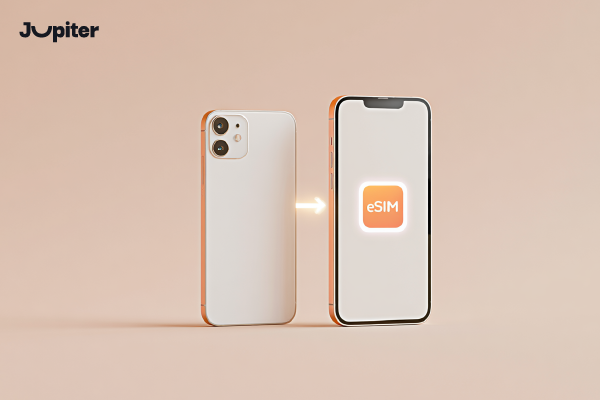
Перемещение вашего eSIM Перенос SIM-карты на другое устройство — это простой процесс, если следовать правильным инструкциям. Вы можете повторно активировать свою мобильную линию без необходимости использования физической SIM-карты.
📱 Убедитесь в совместимости устройства
Перед началом убедитесь, что новый телефон поддерживает технологию eSIM и разблокирован для всех сетей.
🔄 Извлеките eSIM из старого устройства
Перейти к Настройки сотовой связи На старом устройстве удалите профиль eSIM.
📩 Запросите новую активацию у вашего провайдера
В большинстве случаев вам потребуется новый QR-код или обновленная информация для активации (SM-DP+ и код активации).
➕ Вставьте eSIM в новое устройство
Откройте настройки нового телефона, выберите Добавить eSIM, и отсканируйте QR-код или введите данные вручную.
⏳ Дождитесь активации
Профиль eSIM будет загружен и активирован в течение нескольких минут.
🌐 Подтвердите подключение к сети
После активации убедитесь, что звонки, мобильный интернет и сетевые сервисы работают должным образом.
Некоторые операторы поддерживают прямую передачу данных между устройствами, в то время как другие требуют создания нового профиля eSIM.
С Юпитер eSIM, Перенос eSIM-карты между устройствами — это простой, быстрый и полностью поддерживаемый процесс.
Перенесите свою eSIM прямо сейчас с Jupiter eSIM и наслаждайтесь более быстрым и удобным способом оставаться на связи в любой точке мира без неудобств, связанных с физическими SIM-картами ✈️
Можно ли перенести eSIM-карту без потери данных?
Да. Вы можете перевести свой eSIM Перенести данные с eSIM на новое устройство, не потеряв при этом свои личные данные. Важно различать информацию eSIM и данные, хранящиеся в вашем телефоне.
📱 Перенос eSIM-карты не влияет на передачу данных.
eSIM хранит только информацию о вашем мобильном сервисе и не содержит личных файлов, таких как фотографии или документы.
📂 Передача данных с телефона осуществляется отдельно от eSIM.
Фотографии, приложения и контакты хранятся на вашем устройстве или в облачных сервисах, таких как iCloud или Google, а не на самой eSIM-карте.
🔄 Что происходит во время переноса eSIM-карты?
На старом устройстве eSIM деактивируется, а на новом – активируется с помощью QR-кода или учетных данных активации.
⚠️ В каких случаях может произойти потеря данных?
Потеря данных не связана с самой eSIM и обычно происходит только в том случае, если вы не сделали резервную копию данных на устройстве перед сменой телефона.
🌍 Важный совет перед переводом
Перед перемещением eSIM-карты всегда создавайте полную резервную копию данных вашего телефона, чтобы защитить важную информацию.
Короче говоря, перенос eSIM-карты не влияет на ваши файлы, поскольку он перемещает только ваш мобильный сервис, а не ваш личный контент.
Активируйте свою eSIM за считанные минуты и наслаждайтесь бесперебойным подключением на новом устройстве без прерываний, задержек и сложных шагов настройки ⚡
Когда необходимо переустановить eSIM-карту?
В определенных ситуациях вам может потребоваться переустановите eSIM. из-за проблем с сетью, изменения настроек телефона или перехода на новое устройство.
📱 При переходе на новый телефон
При покупке нового смартфона может потребоваться переустановка eSIM с помощью QR-кода или данных активации.
🔄 После сброса до заводских настроек
Выполнение Сброс к заводским настройкам Это может привести к удалению настроек eSIM, что потребует переустановки.
⚠️ Если eSIM-карта была случайно удалена
Если вы по ошибке удалите профиль eSIM, вам потребуется активировать его заново через своего оператора связи.
📶 Когда сетевое соединение потеряно навсегда
Если перезагрузка устройства не восстанавливает связь, переустановка eSIM может решить проблему.
📩 При изменении данных активации
Некоторые операторы требуют переустановки eSIM после обновления тарифных планов или данных учетной записи.
🌍 Когда автоматическая передача данных с устройства не поддерживается
Если ваши устройства не поддерживают автоматическую передачу данных, потребуется переустановка вручную.
Как правило, переустановка eSIM занимает всего несколько минут и осуществляется с помощью QR-кода или информации для активации.
С Юпитер eSIM , Вы можете быстро переустановить свою eSIM и получить поддержку, когда это потребуется.
Переведите свою мобильную линию за считанные секунды с помощью Jupiter eSIM, используя простой и безопасный процесс, который обеспечит бесперебойную работу вашей услуги 🔄
Перенос eSIM при смене телефона
При переходе на новый смартфон вы можете легко перенесите свою eSIM Без использования физической SIM-карты. Точный процесс зависит от политики вашего оператора связи в отношении переноса номера.
Важные советы перед переносом eSIM-карты в другое устройство
Перед переводом вашего eSIM, Следование этим рекомендациям поможет обеспечить плавный и безопасный переход.
📱 Подтвердите совместимость устройства
Убедитесь, что новый телефон поддерживает технологию eSIM и разблокирован для всех операторов связи.
📩 Сохраните данные активации
Сохраните QR-код и данные для активации (SM-DP+ и код активации) на случай, если потребуется переустановка.
🔄 Не удаляйте старую eSIM-карту слишком рано
Не удаляйте eSIM из своего текущего телефона, пока новое устройство не будет полностью готово.
🌐 Сделайте резервную копию своего телефона
Создание резервной копии защитит ваши контакты и файлы в случае возникновения каких-либо проблем во время перехода.
📶 Убедитесь в наличии подключения к интернету во время активации.
Для загрузки профиля eSIM требуется подключение к Wi-Fi или другому источнику интернета.
⚠️ Ознакомьтесь с политикой вашего провайдера.
Некоторые операторы поддерживают прямую передачу данных, в то время как другие требуют создания нового профиля eSIM.
Следуя этим советам, вы обеспечите бесперебойное обслуживание и плавный процесс перевода.
Наслаждайтесь беспроблемной активацией и полной поддержкой eSIM от Jupiter для плавного и легкого перехода при смене устройств 🚀