
Thinking about using 小米 on your smartphone? eSIM technology is transforming the way Xiaomi users stay connected by making mobile activation faster, more flexible, and completely digital. Whether you’re upgrading your device, traveling internationally, or simply looking for a more convenient alternative to a physical SIM card, eSIM gives you the freedom to activate your mobile plan in minutes and manage multiple connections with ease.
和 木星eSIM, you can unlock the full potential of your Xiaomi device through instant activation, flexible country, regional, and global data plans, and reliable coverage across more than 190 destinations worldwide. Stay connected wherever life takes you and enjoy a smarter mobile experience without the hassle of traditional SIM cards.
Which Xiaomi Phones Support eSIM?
If you’re planning to use 小米, the first step is making sure your smartphone supports eSIM technology. While not every Xiaomi device includes eSIM functionality, many of the brand’s newer premium models are equipped with built-in eSIM support, allowing you to activate a mobile plan digitally without using a physical SIM card.
📱 Xiaomi Flagship Models
Several flagship Xiaomi smartphones support eSIM technology, particularly newer premium models. Depending on your region and device variant, supported models may include the Xiaomi 13 series, Xiaomi 14 series, Xiaomi 15 series, and other selected flagship devices.
📲 Xiaomi Foldable Devices
Some foldable Xiaomi smartphones also offer eSIM compatibility, providing users with greater flexibility for managing multiple mobile plans and enjoying seamless digital connectivity.
🌍 Regional Availability Matters
Keep in mind that eSIM support may vary depending on the country where your Xiaomi phone was purchased. The same model may support eSIM in one region but not in another, so it’s important to verify your device’s specifications.
🔍 How to Check eSIM Support
打开 设置 on your Xiaomi phone and navigate to SIM Cards & Mobile Networks or a similar menu. If you see options such as 添加 eSIM 或者 Manage eSIM, your device supports eSIM technology. You can also confirm compatibility on Xiaomi’s official specifications page for your exact model.
⚡ Why Choose eSIM on Xiaomi?
Using eSIM on a compatible Xiaomi phone allows you to activate your mobile plan instantly, switch between supported carriers digitally, store multiple mobile profiles, and enjoy hassle-free connectivity while traveling or using multiple numbers.
🚀 为什么选择 Jupiter eSIM?
木星eSIM works seamlessly with compatible Xiaomi smartphones, offering instant activation, flexible country, regional, and global data plans, and reliable coverage across more than 190 destinations. Whether you’re at home or abroad, Jupiter eSIM keeps you connected with a fast and convenient digital experience.
另请参阅: 英国三号 2026 Is It the Right Choice for You
🌍📱 Activate 木星eSIM on your compatible Xiaomi phone in minutes and enjoy flexible global data plans with reliable coverage across 190+ destinations. Stay connected wherever your journey takes you! 🚀✈️
How to Set Up eSIM on Xiaomi Devices
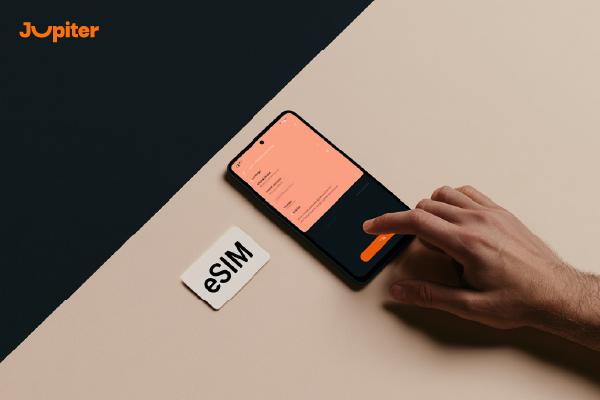
设置 小米 is quick and easy when you have a compatible Xiaomi smartphone and a valid eSIM plan. The entire process is digital, allowing you to activate your mobile service without inserting a physical SIM card. Follow these simple steps to get started.
📱 Step 1: Confirm eSIM Compatibility
Before you begin, make sure your Xiaomi device supports eSIM technology. You can check your phone’s specifications or look for an 添加 eSIM option in the mobile network settings.
📩 第二步:购买 eSIM 套餐
Choose an eSIM plan that fits your destination and data needs. After your purchase, you’ll receive a QR code or manual activation details from your eSIM provider.
⚙️ Step 3: Open Mobile Network Settings
前往 Settings > SIM Cards & Mobile Networks (or the equivalent menu on your Xiaomi device), then select 添加 eSIM 或者 Manage eSIM to begin the setup process.
📷 Step 4: Scan the QR Code
Use your Xiaomi phone to scan the QR code provided by your eSIM provider. If necessary, you can also enter the activation details manually to download the eSIM profile.
🌐 Step 5: Complete the Activation
Follow the on-screen instructions while connected to a stable Wi-Fi network. Once the eSIM profile is installed, your device will automatically connect to a supported mobile network.
✅ Step 6: Choose Your Preferred Mobile Line
If your Xiaomi device supports Dual SIM functionality, you can select which line to use for mobile data, calls, and text messages. You can also switch between profiles whenever needed.
🚀 为什么选择 Jupiter eSIM?
木星eSIM makes setting up eSIM on Xiaomi devices simple with instant activation, flexible country, regional, and global data plans, and reliable coverage across more than 190 destinations. Whether you’re traveling or using mobile data every day, Jupiter eSIM delivers a fast and seamless connectivity experience.
另请参阅: 激活 eSIM Complete Step-by-Step Guide 2026
🌍📱 Set up 木星eSIM on your Xiaomi device in minutes and enjoy flexible global data plans with reliable coverage across 190+ destinations. Stay connected wherever life takes you! 🚀✈️
eSIM Xiaomi Compatibility List for 2026
If you’re planning to use 小米, checking your device’s compatibility is the first step. Xiaomi continues to expand eSIM support across its premium smartphone lineup, giving users the convenience of digital SIM activation, flexible carrier management, and seamless connectivity without a physical SIM card.
📱 Xiaomi 15 Series
Many models in the Xiaomi 15 series include built-in eSIM support, making them an excellent choice for users who want instant digital activation and convenient mobile connectivity.
📱 Xiaomi 14 Series
Several Xiaomi 14 series smartphones support eSIM technology, allowing users to activate compatible mobile plans digitally and manage multiple mobile profiles with ease.
📱 Xiaomi 13 Series
Selected Xiaomi 13 series devices are compatible with eSIM, offering a modern alternative to traditional SIM cards for both everyday use and international travel.
📱 Xiaomi Foldable Devices
Some Xiaomi foldable smartphones also support eSIM functionality, giving users the flexibility to manage multiple mobile plans on one device.
🌍 Regional Variations
Keep in mind that eSIM availability may differ depending on your country, carrier, and the specific version of your Xiaomi phone. The same model may support eSIM in one region but not in another, so it’s always recommended to verify your device before purchasing an eSIM plan.
🔍 How to Verify Compatibility
On your Xiaomi phone, open Settings > SIM Cards & Mobile Networks. If you see options such as 添加 eSIM 或者 Manage eSIM, your device supports eSIM technology. You can also confirm compatibility by checking Xiaomi’s official specifications for your exact model.
🚀 为什么选择 Jupiter eSIM?
木星eSIM works with a growing range of compatible Xiaomi devices, offering instant activation, flexible country, regional, and global data plans, and reliable coverage across more than 190 destinations. Activate your eSIM in minutes and enjoy seamless connectivity wherever you travel.
另请参阅: 支持 eSIM 的手机 Complete List of Compatible Devices in 2026
🌍📱 Pair your compatible Xiaomi phone with 木星eSIM and enjoy instant activation, flexible global data plans, and reliable coverage across 190+ destinations. Stay connected with confidence wherever you go! 🚀✈️
Benefits of Using eSIM on Xiaomi Phones
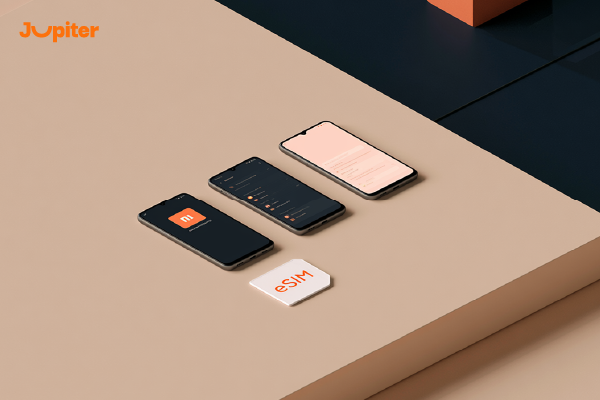
Using 小米 offers a smarter and more convenient way to stay connected. With built-in eSIM technology, compatible Xiaomi smartphones let you activate mobile plans digitally, switch between carriers without changing SIM cards, and enjoy seamless connectivity whether you’re at home or traveling abroad. It’s a modern solution designed for flexibility, speed, and convenience.
⚡即时数字激活
One of the biggest advantages of using eSIM on Xiaomi phones is the ability to activate your mobile plan within minutes. Simply scan a QR code or enter your activation details manually, and your device is ready to connect—no physical SIM card required.
🌍 非常适合国际旅行
With eSIM on your Xiaomi phone, you can install a travel data plan before your trip and connect to a local network immediately after arriving. This helps you avoid expensive roaming charges and eliminates the need to purchase local SIM cards.
📱 Store Multiple eSIM Profiles
Many compatible Xiaomi devices allow you to save multiple eSIM profiles, making it easy to switch between personal, business, and travel plans without removing a SIM card.
🔄轻松切换运营商
Changing mobile providers becomes much simpler with eSIM technology. You can download and activate a new plan digitally whenever needed, giving you greater flexibility and convenience.
🛡️ 安全性提升
Since the eSIM is embedded inside your Xiaomi phone, it cannot be easily lost, stolen, or damaged like a traditional SIM card, providing a more secure mobile experience.
🌱 环保技术
By reducing the need for plastic SIM cards and packaging, eSIM technology supports a more sustainable and environmentally friendly approach to mobile connectivity.
🚀 为什么选择 Jupiter eSIM?
木星eSIM is the perfect companion for compatible Xiaomi smartphones. With instant activation, flexible country, regional, and global data plans, and reliable coverage across more than 190 destinations, Jupiter eSIM helps you stay connected wherever your journey takes you.
另请参阅: 智能电子SIM卡 Complete Guide for Beginners in 2026
🌍📱 Unlock the full potential of your Xiaomi phone with 木星eSIM! Enjoy instant activation, flexible global data plans, and reliable coverage across 190+ destinations. Stay connected anytime, anywhere with ease! 🚀✈️
Troubleshooting eSIM Xiaomi Issues
While 小米 is designed to provide a fast and seamless mobile experience, you may occasionally encounter activation or connectivity issues. The good news is that most problems are easy to fix with a few simple troubleshooting steps.
❌ eSIM Won’t Activate
If your eSIM fails to activate, make sure your Xiaomi phone is connected to a stable Wi-Fi network and that the QR code or manual activation details are correct. Restart your device and try the activation process again if needed.
📵 “Add eSIM” Option Is Missing
If you can’t find the 添加 eSIM option in your Xiaomi settings, verify that your specific device model supports eSIM technology. Some Xiaomi phones may not include eSIM functionality, or support may vary depending on the region where the device was purchased.
🌐 Mobile Data Is Not Working
If your eSIM has been activated but mobile data isn’t working, check that the eSIM is selected as the primary data line. You can also enable and disable Airplane Mode or restart your phone to refresh the network connection.
🔒 Carrier Lock Restrictions
If your Xiaomi phone is locked to a specific carrier, you may not be able to activate an eSIM from another provider. Contact your mobile carrier to confirm whether your device is unlocked before installing a new eSIM.
📷 QR Code Cannot Be Scanned
If your device cannot scan the QR code, clean the camera lens, improve the lighting, or use the manual activation option to enter the activation details provided by your eSIM provider.
⚙️ Update Your Xiaomi Software
Running the latest version of HyperOS or your device’s operating system helps improve eSIM compatibility, performance, and security. Installing software updates can resolve many activation and connectivity issues.
🚀 为什么选择 Jupiter eSIM?
木星eSIM provides instant activation, reliable connectivity, and dedicated customer support to help you resolve setup issues quickly. With flexible country, regional, and global data plans covering more than 190 destinations, Jupiter eSIM ensures a smooth and reliable experience on compatible Xiaomi devices.
另请参阅: 兼容iPhone eSIM Complete List of Supported iPhone Models in 2026
🌍📱 Experience hassle-free connectivity with 木星eSIM! Enjoy instant activation, flexible global data plans, reliable coverage across 190+ destinations, and expert support whenever you need it. 🚀✈️
eSIM Xiaomi vs Physical SIM

When comparing 小米 with a traditional physical SIM card, the biggest differences come down to convenience, flexibility, and ease of use. While both options provide access to mobile networks, eSIM technology offers a faster and more modern way to manage your mobile connectivity—especially for frequent travelers and users who need multiple mobile plans.
📱 Digital Activation vs Physical Installation
With eSIM on a compatible Xiaomi phone, you can activate your mobile plan digitally by scanning a QR code or entering activation details. A physical SIM, on the other hand, must be inserted into the device, which often requires replacing or swapping SIM cards.
⚡ Faster Setup
An eSIM can be activated within minutes without visiting a mobile store or waiting for a SIM card to be delivered. This makes it a much more convenient option for users who need immediate connectivity.
🌍 更适合国际旅行
Using eSIM on a Xiaomi phone allows you to install a travel data plan before your trip and connect as soon as you arrive at your destination. This helps reduce roaming costs and eliminates the need to buy local SIM cards while traveling.
📶 Multiple Mobile Profiles
Many Xiaomi devices that support eSIM allow you to store multiple eSIM profiles on one phone. This makes it easy to switch between personal, business, and travel plans without changing physical SIM cards.
🛡️ 安全性提升
Since the eSIM is embedded directly into your Xiaomi device, it cannot be easily lost, removed, or damaged like a physical SIM card. This adds an extra layer of security and reliability.
🌱 A More Sustainable Choice
eSIM technology reduces the need for plastic SIM cards, packaging, and shipping, making it a more environmentally friendly solution for modern mobile connectivity.
🚀 为什么选择 Jupiter eSIM?
木星eSIM helps you get the most from your compatible Xiaomi phone with instant activation, flexible country, regional, and global data plans, and reliable coverage across more than 190 destinations. Whether you’re traveling or using mobile data every day, Jupiter eSIM offers a seamless alternative to traditional SIM cards.
🌍📱 Upgrade your Xiaomi experience with 木星eSIM! Enjoy instant activation, flexible global data plans, and reliable coverage across 190+ destinations. Leave physical SIM cards behind and stay connected wherever you go! 🚀✈️