

The step-by-stepHow to Activate eSIM Manually activation method is one of the most searched processes by users, especially when a QR code is not available or when they prefer entering activation details manually. With Jupiter eSIM, you can easily set up your eSIM within minutes and enjoy fast, reliable connectivity without needing a physical SIM card. Whether you are preparing for travel or using eSIM for the first time, following the correct activation steps ensures a smooth experience and stable connection wherever you are.
Easy Steps to Manually Activate eSIM
Some users may need to activate eSIM manually when a QR code is not available or when activation details are provided in manual format. Fortunately, the process can be completed easily through your phone settings in just a few minutes.
📱 Open Phone Settings
Start by opening your device settings, then go to the cellular network or mobile data section depending on your device type.
➕ Add a New eSIM
Select “Add eSIM” or “Add Cellular Plan”, then choose the option to enter details manually instead of scanning a QR code.
📝 Enter Activation Details
Input the activation information provided by your service provider, such as the SM-DP+ address and Activation Code, ensuring all details are entered correctly.
✅ Confirm eSIM Setup
After entering the details, confirm the process and wait for the eSIM profile to be downloaded and installed on your device.
🌐 Enable Cellular Data
Select the new eSIM as your data line and enable data roaming if you are using it while traveling.
🚀 Verify Activation Success
Once the network appears on your phone, the eSIM is successfully activated and ready for use.
Also learn about: Esim new and easy way to connect to the internet
Travel freely with Jupiter eSIM and stay connected in every country without changing your SIM card
When Do You Need to Manually Activate eSIM?
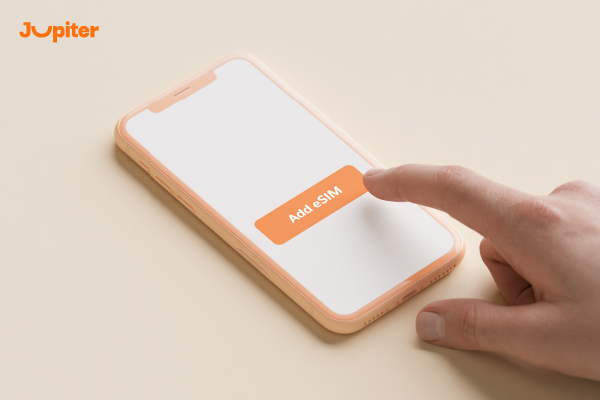
Although most users activate eSIM using a QR code, there are situations where manual eSIM activation becomes necessary. This method ensures uninterrupted connectivity when standard activation is not possible.
📷 When QR Code Is Not Available
Sometimes the QR code may not be provided or accessible, and in this case, manual activation allows you to set up the eSIM using provided details.
⚠️ When QR Code Cannot Be Scanned
If your phone fails to scan the QR code due to technical issues or poor image quality, manual setup is the ideal alternative.
📩 When Activation Details Are Sent Separately
Some providers send SM-DP+ address and Activation Code separately instead of a QR code, requiring manual entry.
📱 When Changing or Resetting Your Device
After switching phones or performing a factory reset, you may need to reinstall your eSIM manually using activation details.
🌍 When Traveling to Avoid Delays
Manual activation helps you quickly restore connectivity if QR-based setup fails while traveling.
Get a more secure and flexible connection with Jupiter eSIM and activate your digital line directly from your phone
How to Enter eSIM Details Manually on Your Phone
You can easily enter eSIM details manually on your phone when QR code activation is not available or when your provider gives you direct activation information. This method allows quick setup within minutes for a stable and reliable connection.
📱 Open Device Settings
Go to your phone settings and navigate to “Mobile Data” or “Cellular Network” depending on your device.
➕ Select Add eSIM
Tap “Add eSIM” or “Add Cellular Plan”, then choose manual entry instead of scanning a QR code.
📝 Enter SM-DP+ Address
Input the SM-DP+ address provided by your carrier, which is required to download the eSIM profile.
🔑 Enter Activation Code
Carefully enter the Activation Code provided to you, ensuring all characters are correct to avoid setup errors.
✅ Confirm Installation
Confirm the details and wait for the eSIM profile to be downloaded and installed on your device.
🌐 Enable Data & Start Using
Once installed, activate the eSIM line and select it for mobile data to start using the internet immediately.
Also learn about: Buy eSIM Card from Jupiter eSIM
Start your smart journey with Jupiter eSIM and enjoy fast, uninterrupted internet wherever you go
Manual eSIM Activation Without QR Code
You don’t always need a QR code to activate eSIM. You can complete the setup manually by entering activation details provided by your carrier. This method is ideal when a QR code is unavailable or not working.
📱 Open Cellular Settings
Go to your phone settings and open the mobile network or cellular section.
➕ Add New eSIM
Select “Add eSIM” or “Add Cellular Plan”, then choose manual setup instead of QR scanning.
📝 Enter Activation Information
Enter the SM-DP+ address and Activation Code provided by your carrier carefully.
✅ Install eSIM Profile
Wait a few minutes while your phone downloads and installs the eSIM profile.
🌐 Activate Data Line
Once installation is complete, select the eSIM as your primary data line.
🚀 Start Using Internet
After activation, you can start using mobile data instantly without a physical SIM card.
JUTIPER eSIM provides clear activation details and smooth support to ensure easy manual setup.
Also learn about: Transfer eSIM Easily Step by Step
Save time and money with Jupiter eSIM and choose affordable data plans designed for all travel needs
Complete Guide to Manual eSIM Installation
If you cannot use a QR code or prefer to set up your eSIM manually, the process is simple and effective. By following a few basic steps, you can activate your eSIM and enjoy fast and reliable connectivity anytime.
📱 Ensure Your Device Supports eSIM
Before starting, make sure your device supports eSIM technology, which is available on most modern smartphones.
📩 Get Activation Details
After purchasing your eSIM, you will receive activation details including SM-DP+ and Activation Code.
⚙️ Open Cellular Settings
Go to mobile network settings and choose “Add eSIM” or “Add Cellular Plan”.
📝 Enter Details Manually
Select manual entry and input the provided activation information carefully.
✅ Install & Activate eSIM
Wait for the eSIM profile to download and activate on your device.
🌍 Enjoy Instant Connectivity
Once installed, your eSIM is ready to use anywhere without a physical SIM card.
Try Jupiter eSIM today and discover the easiest way to activate mobile internet while traveling without a physical SIM
Why Choose Jupiter eSIM?

When it comes to reliable and fast connectivity while traveling, Jupiter eSIM offers a complete solution that combines ease of use, global coverage, and flexible plans designed for modern travelers.
🌍 Wide Global Coverage
Jupiter eSIM provides coverage in many destinations worldwide, keeping you connected wherever you go.
⚡ Fast Activation Within Minutes
You can purchase and activate your eSIM in just a few minutes and start using the internet immediately.
💰 Affordable and Flexible Plans
Jupiter eSIM offers multiple plans suitable for different budgets and usage needs.
📱 Easy Management
You can manage and switch plans directly from your phone without physical SIM cards or store visits.
🔒 Secure & Reliable Experience
eSIM technology provides enhanced security and reduces the risk of losing or damaging a physical SIM card.
🎧 Dedicated Support
Jupiter eSIM provides customer support to ensure a smooth and hassle-free experience.
Stay connected at all times with Jupiter eSIM and enjoy a seamless global connectivity experience on every trip